 One-handed keyboard
SquishKey
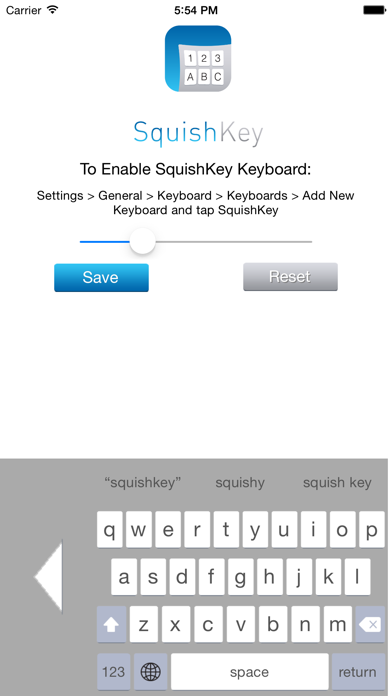
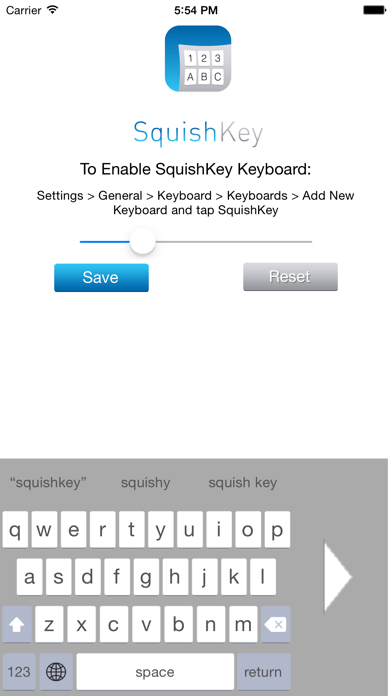
Can't reach the whole keyboard on a big iPhone? SquishKey shrinks the keyboard to a classic one-thumb size and shifts it to whichever side of the screen you prefer.
One-thumb typing, back again
Compact size
Shrinks the keyboard to a size you can comfortably reach with one hand.
Left or right
Tap the arrow to slide the keyboard to the side that suits your thumb.
Adjustable
Use the slider in the app to fine-tune the size, then tap Save.
Autocorrect
Word suggestions above the keys, plus autocorrect when you tap space.
Quick period
Double-tap the space bar to end a sentence with a period.
Auto-capitalization
The first letter of each sentence is capitalized for you.
Turn on SquishKey in under a minute
iPhone keyboards from the App Store have to be switched on in Settings before you can use them.
Still stuck? See the SquishKey FAQ or contact us.
- Install SquishKey from the App Store.
- Open Settings › General › Keyboard › Keyboards.
- Tap Add New Keyboard and choose SquishKey.
- In any app, press and hold the globe key, then choose SquishKey.
- Open the SquishKey app to adjust the size, then tap Save.
Questions about SquishKey?
Read the SquishKey privacy details or get help from our support team.